
Themes
A theme is data. It needs no code, and applies before Ruimte draws its first frame.
List each theme file in the manifest:
{
    "id": "acme.midnight",
    "name": "Midnight",
    "version": "1.0.0",
    "api": 1,
    "themes": ["themes/midnight.json"]
}
{
"name": "Midnight",
"side": "dark",
"thumbnail": "themes/midnight.png",
"tokens": {
"--surface": "#0b1020",
"--text": "#e6e9f5"
},
"css": "themes/midnight.css"
}side says whether the theme builds on Ruimte's light or dark base. tokens overrides that base, token by token. A name starts with --, and a value holds no ;, { or }. Every surface that uses a token follows it:
Make a theme builds this one end to end.
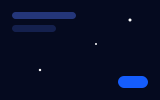
thumbnail is required. It is a PNG, JPEG, WebP or SVG in the pack of at most 256 KB, drawn at 16:10 beside System, Light and Dark in Settings, Appearance. Show Ruimte in the theme.
A theme of an extension sets its own colors, so the Palette setting applies only to Ruimte's own themes and stays at its default under yours. The person's accent stays on top.
A stylesheet
css is optional, for what tokens cannot say. It reaches only files in the pack. A url() must point inside it, and pack and Ruimte both refuse @import.
Style only what Ruimte promises to keep:
[data-surface='sidebar'] > div {
    background-image: url('./stars.png');
}

[data-surface='node'] {
    outline: 1px solid rgb(255 255 255 / 0.08);
}
The stable hooks are [data-surface='sidebar'], 'panel', 'node', 'canvas' and 'chat'. The sidebar and a panel sit on a column, so their ground is > div. Any other class can change in any release.
Safe mode starts without a theme.